
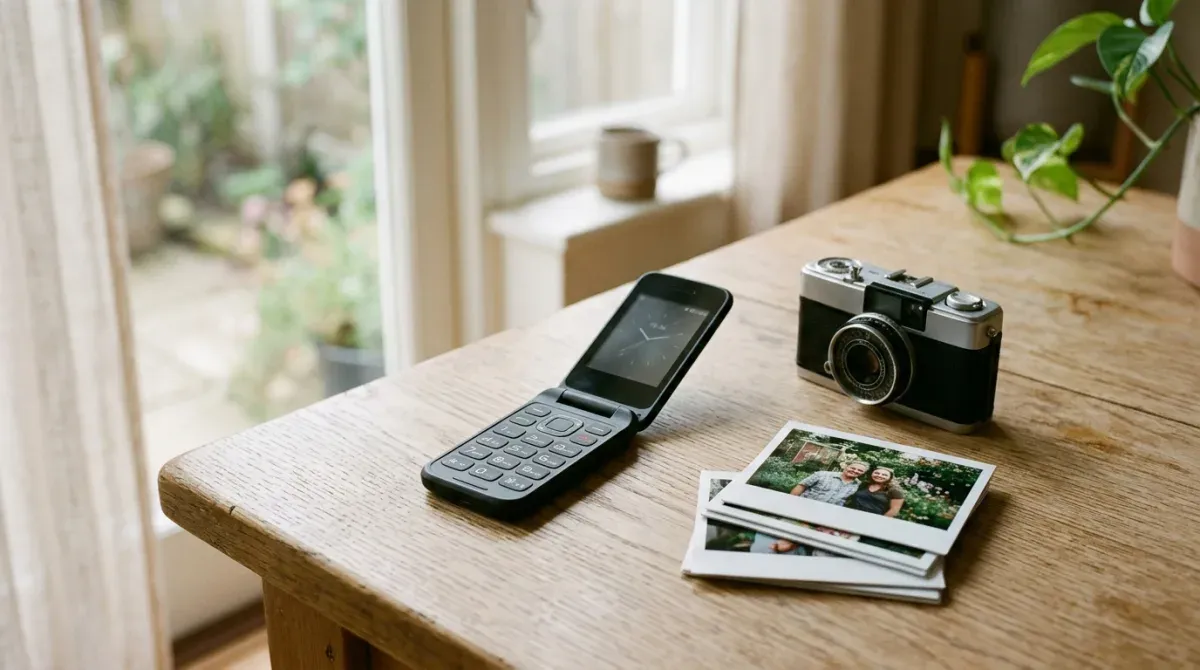
You are ready to leave the smartphone, and then you think of the photos. Your kids on a Saturday morning, the receipt you need for expenses, the place you parked. The phone in your pocket is also the only camera you own, and nobody wants to trade it for a blurry one.
Here is the short answer: no true dumb phone has a camera you will love, and the megapixels are not the main reason. The best of them, the Light Phone III, takes pleasant photos slowly. The rest take snapshots. But the bigger limit sits after the shutter. Without the modern messaging that smartphones use, every photo you text from a dumb phone travels as an MMS, and the carrier squeezes it to fit. There is no cloud backup either, so your photos leave the phone on a cable or not at all. The phones that genuinely have good cameras are smartphones with the distractions locked away, and that is a real option, with a real catch.
This guide splits the camera into the three parts that decide whether you will be happy with it, lists what each phone actually has according to its maker, and tells you how to test one before the return window closes.
A camera on a dumb phone is three things
- The sensor. How good the photo is when it lands in the phone’s gallery.
- The send. What the person you text actually receives.
- The archive. How the photo gets off the phone before you lose it, or the phone.
Most “dumb phone with camera” lists stop at the first. The second and third are where people who care about photos get unhappy.
The sensor: what each phone has
Every figure below comes from the maker’s own spec sheet or support pages, checked on 26 October 2026, unless another source is named.
| Phone | Rear camera | Video | Where it comes from |
|---|---|---|---|
| Light Phone III | 50 MP sensor, 12 MP photos; 8 MP front | Yes, stabilized | Light, Sanctuary Computer, reviewers |
| Mudita Kompakt | 8 MP | Not documented | Mudita |
| Sunbeam F1 Pro | 5 MP | No, on all 13 current models | Sunbeam spec sheet |
| Kyocera DuraXV Extreme+ | 5 MP | 720p | Charity Mobile |
| Nokia 2780 Flip | 5 MP | 480p | Charity Mobile, GSMArena |
| Nokia 3210 4G | 2 MP | Not listed | HMD |
| Nokia 2660 Flip | 0.3 MP | Not listed | HMD |
| Light Phone II | None | None | Light |
Two of those lines deserve a second look. The Nokia 2660 Flip, a phone often recommended to first-time switchers, has a 0.3 MP rear camera according to HMD. That is roughly 640 by 480 pixels, VGA resolution. And Sunbeam’s F1 Pro spec sheet, published in August 2026, lists a 5 MP camera and then marks “Video” with a cross for every one of its thirteen models. If you want to film anything, check the video line, not the megapixels.
The send: why MMS shrinks every photo
Smartphones send photos over iMessage, RCS or a messaging app, which travel as data instead of as carrier picture messages. Dumb phones mostly cannot. KaiOS, the system on the Nokia 2780 Flip, does not support RCS in any version, according to the developer resource KaiOS.dev. Sunbeam says on its own product pages that “Sunbeam phones cannot send or receive RCS messages.” And the Light Phone III does not support it either, which Marques Brownlee pointed out in his April 2025 review, at 3,342,965 views when checked: “if I do need to send them to someone, this phone doesn’t support RCS, so I’d be sending them in an ultra compressed, not encrypted MMS message instead.”
How compressed is set by the carrier. Verizon’s support page on picture message limits lists 1.2MB per image on its 4G LTE and 5G network. Then it adds the part that matters if your family is on other carriers: “Many devices are capable of sending messages that exceed intercarrier file size limits (typically 300-600 KB),” and “A message that exceeds the other carrier’s limits may be rejected and won’t reach the intended recipient.”
So whatever the sensor captured, the photo your sister receives is one that fits inside a few hundred kilobytes, or it does not arrive. A 50-megapixel sensor and a 5-megapixel one look much closer to each other after that trip than they do on a spec sheet. This is the part no camera roundup measures, and it is why a dumb phone camera disappoints people who mostly take photos to send them.
Receiving has its own limits. Light says plainly that the “LPII cannot display images”; instead, the Light Phone II can forward incoming picture messages to the email address on your Light account, a setting Light added in December 2020. And on the Mudita Kompakt, Mudita notes that “Photos appear black and white on the Kompakt’s E Ink screen, but are in full color when sent to other devices.” The photo of the new baby will arrive. You may not see it in colour until you get home.
The archive: no cloud, so plan the cable
None of the true dumb phones here back up photos to a cloud on their own. That is part of their appeal, and it means the only copy of a photo lives on the phone until you move it.
- Light Phone III. Light’s introduction article says you can download media from the album tool “to a computer using a USB-C cord,” and suggests Image Capture on a Mac. You first set Settings, Preferences, USB Preferences to “Media Transfer,” and “you will need to adjust this setting each time you plug in the device as a security precaution.” Since a May 2025 update you can also forward photos from the album to email, which skips the MMS route entirely.
- Nokia 2780 Flip. HMD’s user guide has you turn on USB storage in Settings, then drag files across in your computer’s file manager.
- Sunbeam F1 Pro. A microSD slot for cards up to 32GB, per the spec sheet.
- Mudita Kompakt. MicroSD up to 2TB, according to Mudita’s full feature list.
The habit that works is boring: a monthly reminder to plug the phone in and copy the folder off. If you will not keep that habit, a dumb phone camera is a place where photos go to be lost.
Light Phone III: the only dumb phone built around its camera
The camera is the headline feature of the Light Phone III, and it shows in the hardware. There is a dedicated two-stage shutter button that, in Light’s words, “will open the camera from anywhere in the LightOS.” A half press locks focus and exposure, a full press takes the photo or starts a video. The camera has three modes, “photo” “video” and “selfie,” plus a flash and exposure compensation, and Light says it will “continue to roll out new settings in future updates.”
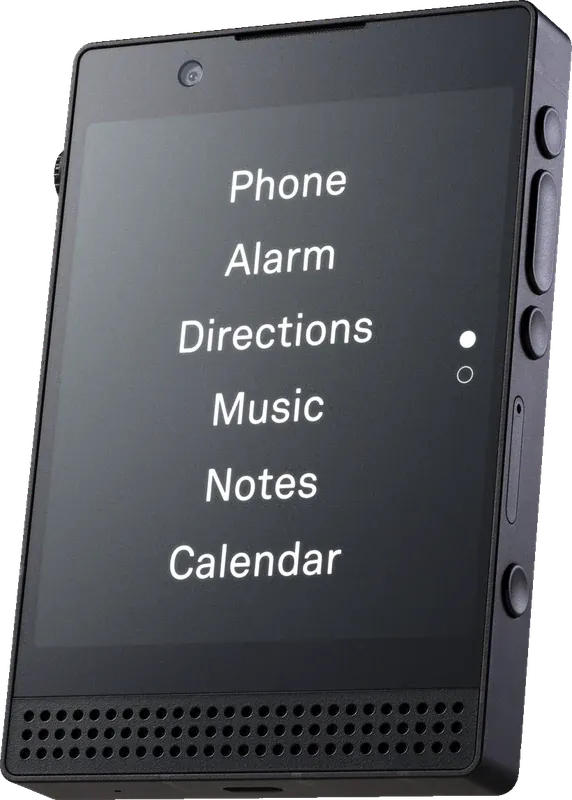
The Light Phone III. Image: Light.
The sensor is 50 megapixels, binned down to 12. Ben G Kaiser, who shot with it for two months for his February 2026 video “Camera ANY GOOD? Light Phone 3”, gives the numbers: the final image is “4,000 pixels x 3,000 pixels,” the lens is “equivalent to a 28 mm prime,” and you control exposure but “not ISO settings or shutter speed or aperture.” Sanctuary Computer, the studio that built the camera software with Light, lists an 8MP front camera and says the brief was “no filters or automated gallery features, just the essentials to keep the user present.”
The verdicts split along one line: whether you wanted a phone camera or a point-and-shoot.
- Kaiser gives the main camera “an 8 out of 10,” praises the video stabilization, and calls the look nostalgic: “Strong darks, bright brights, soft details, but sharp focus.”
- Brownlee is blunter: “it’s not a good camera, but it is a camera.” He notes there are “no settings for shooting full 50 megapixel resolution, or changing the resolution to anything else at all, or aspect ratio, or focal length, just flash and exposure.”
- ShortCircuit, shooting under studio lights in its April 2025 unboxing, found that “the resolution actually is not bad, but there’s so much noise and the color is atrocious.”
- Reysu put it “probably at the level of an iPhone 5.”
- Shameless Nerd, in his June 2026 comparison, liked the “nostalgic mid-2000s early 2010s look.”
The number that matters most if you have children is speed. Kaiser measured it: “It takes roughly 3 seconds to focus and capture a picture,” which earns it “about a three out of 10” for photographing his kids. Light’s change log shows it already “Optimized the shutter timing in Camera tool” in May 2025, so that figure is after the fix.
Light’s change log also shows the camera filling in around the edges: stabilization for video in May 2025, saving photos from a conversation into the album in June 2025, a button to attach an album photo to a message in February 2026, and the message text included when you forward media to email in June 2026. None of the updates it lists through September 2026 mention scanning QR codes. Jose Briones, who reviews dumb phones and says he paid for the phones he recommends, notes in his September 2026 roundup that a community tool called Passes can “hold your QR code,” which helps with tickets you already have, not with the menu on a restaurant table.
Price is the other catch. Light put it on sale at $799 in March 2025, with a $599 pre-order price still running, according to Engadget, and Briones calls the effect of memory prices on it “personally out of control.” Check Light’s own site for the current figure.
Mudita Kompakt: a document scanner that also takes photos
Mudita describes the Kompakt’s camera honestly. On its product page it is there “to digitize documents or capture memories,” and documents come first. The 8 MP camera is pitched at exactly that kind of job, a parking ticket, a whiteboard, a form you need to send, and the E Ink screen will show you the result in black and white.
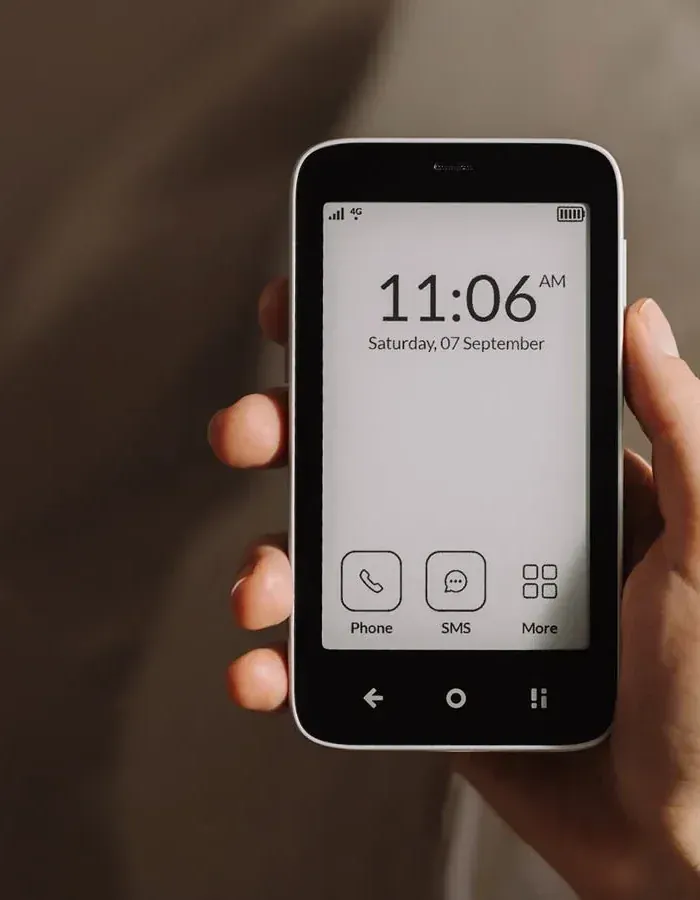
The Mudita Kompakt. Image: Mudita.
Two details make it unusual. Its Offline+ mode “cuts off the camera, Bluetooth, and WiFi through software,” which is a switch you can use on yourself. And because you can sideload Android apps through Mudita’s desktop app, the Kompakt is more flexible than its interface suggests; Briones calls it “one of the best devices out there.” Mudita’s store listed it at $399 when we checked on 26 October 2026.
Flip phones: a camera for the parking spot, not the birthday
The flip phones in this guide carry 5 MP cameras or less. Treat them as notebooks that can see.
Sunbeam F1 Pro. 5 MP, no video on any of the thirteen current models, and a picture gallery on the ones that have a camera. Four configurations, the Oak, Elm, Cedar and Willow, have no camera at all, which is the point for some buyers. Two new models, the Walnut and Poplar, are listed on Sunbeam’s F1 Pro page as “Coming in November,” and they add “Video & Video Playback,” which Sunbeam describes as recording and playing back “videos up to 2 minutes long,” along with email with attachments, a second way to get a photo off the phone. The Cypress, which has a camera but lists “Video capability” under what it does not have, costs $359. Shameless Nerd, who used Sunbeam phones for most of a year, said the camera “is better than you would probably imagine, but still sucks.”
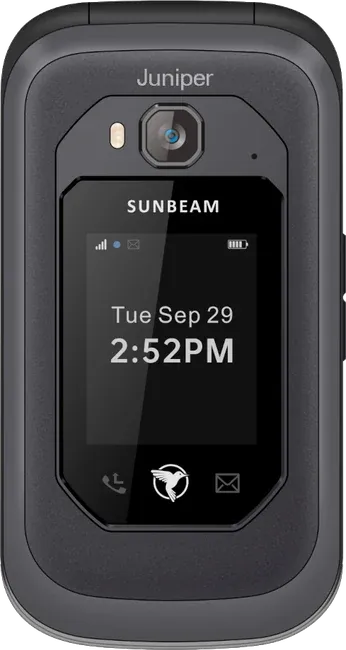
The Sunbeam F1 Pro, here in the Juniper configuration. Image: Sunbeam Wireless.
Kyocera DuraXV Extreme+. Charity Mobile, a US carrier that sells it, lists a 5 megapixel rear camera and 720p video, the best video spec among the flip phones here. The same listing warns that “Group messaging and Push-To-Talk are currently not supported on this device,” so a photo to the family group chat may not go anywhere.
Nokia 2780 Flip. Charity Mobile lists “a 5 megapixel camera with flash that can record SD video,” 480p, and the same group messaging warning. HMD’s US spec page for the phone returned “not found” when we checked on 26 October 2026; GSMArena also lists 5 MP with no selfie camera.
Nokia 3210 4G and Nokia 2660 Flip. 2 MP and 0.3 MP. Fine for remembering where you parked. Not for anything you want to keep.
There is a case for the low-fi look, and the YouTuber zachy.mp4 makes it in “Why I Use a Dumb Phone and Never Want to Go Back to a Smartphone”, at 84,722 views when checked. He finds the photos from his rugged flip “crunchy and low-fi and kind of like charming in a way even though it sucks.” For the photos he cares about, he uses a film camera instead.
The phones with genuinely good cameras are smartphones
If photos are the reason you hesitate, the phones that solve it all run full Android or iOS underneath, with the distractions locked away. They have real cameras, real messaging and real backup. They also have the most ways back to the habits you are leaving.
SLEKE. You may have heard it called “Sleek”: that is how YouTube’s automatic captions spell it, and a search for that name mostly turns up other things. SLEKE. sells its OdysseyOS, with no web browser and a curated app store, preloaded on upcycled Google Pixels. Its FAQ lists $499 on a Pixel 8 and $690 on a Pixel 9, and says the camera can scan QR codes. Google’s specs give the Pixel 8 a 50 MP wide camera, a 12 MP ultrawide and a 10.5 MP selfie camera. Shameless Nerd, who used an earlier Pixel-based version, said “The camera is my favorite of any phone that I’ve ever used,” and still stopped using it, because there was “still a lot to do on my phone.” Two limits: SLEKE. ships only in the US, pointing other buyers to its partner dumbwireless.com, and its current batch was “Limited to 50 orders” and due to ship “by late November, 2026” when checked.
Balance Phone. Samsung hardware with Balance OS on top: a Galaxy A17 for the Kids model, a Galaxy A37 5G for the standard one and a Galaxy S25 for the Pro, according to Balance’s FAQ, which suggests trying them in a Samsung store “to check the hardware (size, camera, performance) before buying it.” Google Photos backup works, and apps in categories including social media “will be automatically blocked when you try to open it.” A good camera with nowhere to post is not a bad description of what many switchers want.
Unihertz Jelly Star. A tiny Android phone with a “48MP rear camera and 8MP front camera,” per Unihertz, at $219.99 when checked. It has the full Play Store, so it is a small smartphone, not a dumb phone. The difference matters, and Android dumb phones covers it.
The iPhone you already own. Apple’s Assistive Access turns an iPhone into a simple phone with large tiles, and Camera is one of the apps it redesigns. Apple’s guide offers four modes, Photo, Photo Selfie, Video and Video Selfie, and suggests you “Simplify Camera by turning on just one camera mode.” You keep the best camera you have ever owned. How to set it up, and the emergency-calling caveat to read first, is in turning an iPhone into a dumb phone.
The uncomfortable part: the camera is how the smartphone comes back
A photo wants to go somewhere. On a smartphone it goes to the group chat, then to Instagram, then you are scrolling. Every setup above with a good camera also has a path to that loop, and the curated ones only work because someone else is guarding the door.
The people who stay off smartphones tend to separate the two jobs. zachy.mp4 says it directly: “I’m not taking photos with this thing to post.” Kaiser frames the Light Phone camera the same way: “this is not about taking 10 to 50 pictures in order to get that perfect Instagram shot for your grid. It’s about memories.” The makers agree. Light built no filters on purpose, Mudita gave the Kompakt a switch that kills the camera, and Sunbeam sells four F1 Pro models with no camera at all.
So the real choice is less about megapixels than about where the photos go. If they go to people, MMS will disappoint you and you need a smartphone underneath. If they go to you, a dumb phone with a decent camera and a monthly cable habit, or a separate small camera, gives you the pictures without the feed.
How to check a camera before you buy
- Read the maker’s spec sheet, and the video line. Sunbeam’s F1 Pro has a camera and no video. Listicles rarely say so.
- Text a photo to someone on another carrier. Verizon’s own page says messages between carriers are typically capped at 300 to 600 KB. See what arrives, and whether it arrives.
- Text one to a group. Charity Mobile says group messaging does not work on its Nokia 2780 Flip and Kyocera DuraXV Extreme+.
- Copy a photo to your computer. On the Light Phone III, remember the USB setting resets every time you plug in.
- Look at a received photo on the phone itself. The Kompakt shows it in black and white; the Light Phone II cannot show it at all.
- Time the shutter on something that moves. Kaiser measured about 3 seconds on the Light Phone III.
- Scan a QR code. SLEKE. documents it. Light’s change log does not.
Which to pick
- Photos of your children are non-negotiable. Keep your iPhone in Assistive Access, or buy a curated Android: SLEKE. on a Pixel if you are in the US, or a Balance Phone. No true dumb phone comes close.
- You want a real dumb phone that takes photos you will enjoy, slowly. Light Phone III. Accept the roughly 3-second shutter and the MMS ceiling, and use email forwarding or the cable for anything you want at full size.
- You mostly photograph documents and like E Ink. Mudita Kompakt.
- You want a flip phone and need video. Kyocera DuraXV Extreme+ at 720p, or wait for Sunbeam’s Walnut and Poplar.
- You want a flip phone for snapshots and receipts. Sunbeam F1 Pro or Nokia 2780 Flip, both 5 MP.
- You want no camera, on purpose. Light Phone II, or a Sunbeam F1 Pro Oak, Elm, Cedar or Willow.
- You already own a Nokia 2660 Flip. Treat its 0.3 MP camera as a notepad, and carry a small camera for the moments that matter.
A camera answers one question about the switch. The others, network compatibility, calls and texts, two-factor codes and banking, are in the complete dumb phone playbook. If the photos you send are mostly in a family WhatsApp group, read dumb phones with WhatsApp first. And if you plan to move photos through a laptop on the go, dumb phones with a hotspot covers which phones can share their connection.
Sources: device details come from the manufacturers and carriers, checked on 26 October 2026: HMD’s spec sheets for the Nokia 2660 Flip and Nokia 3210 4G and its Nokia 2780 Flip user guide; Light’s Light Phone III introduction, change log and page for parents; Sanctuary Computer on the Light Phone III; Mudita’s Kompakt page, full feature list and store; Sunbeam Wireless’s F1 Pro page, spec sheet and Cypress page; Charity Mobile’s listings for the Nokia 2780 Flip and Kyocera DuraXV Extreme+; GSMArena on the Nokia 2780 Flip; SLEKE.’s FAQ; Google’s Pixel specs; Balance Phone’s FAQ; Unihertz; Apple’s Assistive Access Camera guide; Verizon’s picture message limits; KaiOS.dev FAQ; Engadget on the Light Phone III launch. Videos: Marques Brownlee, “I Have A Problem with the Light Phone III”, ShortCircuit, “I’ve never wanted to love such a useless product”, Reysu, “I fixed everything wrong with the Light Phone III”, Ben G Kaiser, “Camera ANY GOOD? Light Phone 3”, Shameless Nerd, “I tried all the ‘best’ dumbphones” and “Finally, the dumbphone we’ve all been waiting for.”, Jose Briones, “The Best Dumb Phones You Should Consider in 2026” and zachy.mp4, “Why I Use a Dumb Phone and Never Want to Go Back to a Smartphone”.