
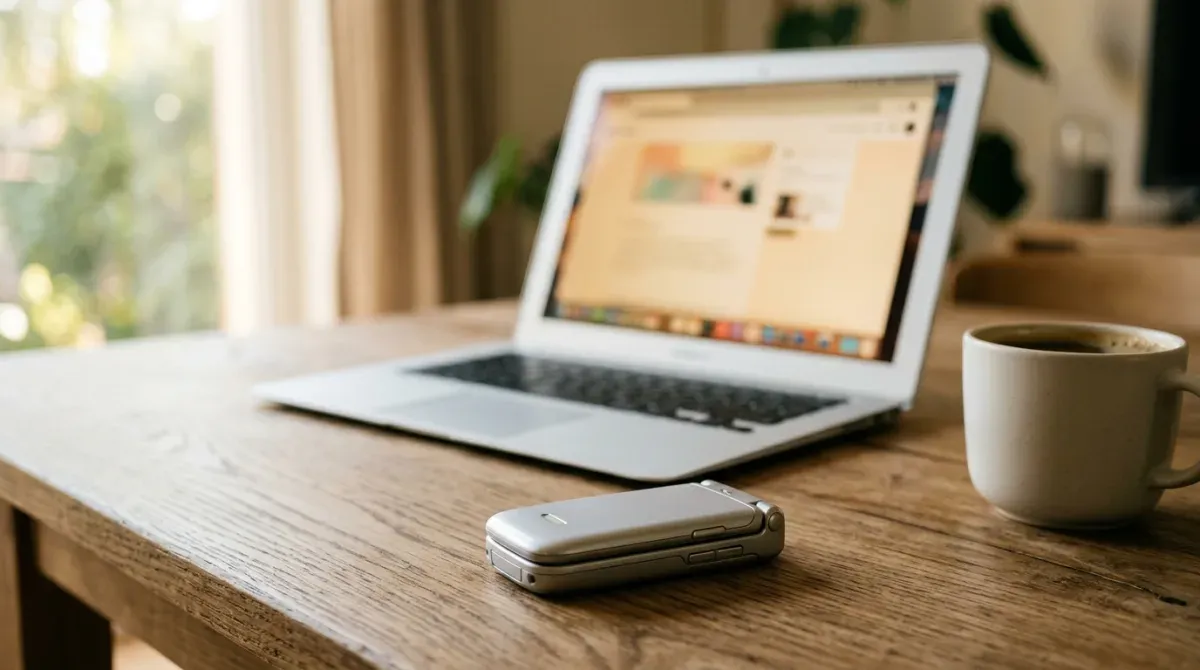
WhatsApp is the single reason most dumb phone switches fail. Not screen time, not the camera, not maps. It is the group chat your family plans dinner in, and the fact that leaving it means your mother thinks you are ignoring her.
The bad news first: the clean answer is gone. WhatsApp stopped new activations on KaiOS on 25 June 2024 and ended support entirely in February 2025, which killed the only real feature-phone client. The Nokia 8110, the 6300 4G, the 2760 Flip, the Alcatel Go Flip, all of them lost it at once, and nothing replaced it.
So when a listicle promises you a “dumb phone with WhatsApp”, one of three things is true. Two of them are fine. The third is a small Android phone in a flip shell, sold to you as a detox device.
Option 1: a simple Android with WhatsApp preinstalled
This is what most of those lists are actually selling. The emporia TOUCHsmart 3 is the honest example: a flip phone with a keypad and a touchscreen, 4G with VoLTE, and WhatsApp, Signal and Telegram preinstalled, with a shortcut button that opens whichever one you pick. The TTfone TT970 does the same thing at a lower price.
They work. Messages, photos, voice calls and video calls all function, over wifi or mobile data. If your only goal is a phone your hands cannot doomscroll on, this is a real answer.
Be clear-eyed about what you bought, though:
- It is Android underneath. The restraint is the shell and the small screen, not the operating system. These ship without Google Play, so installing anything else means sideloading, which is a nuisance by design. That nuisance is the whole product.
- WhatsApp needs data. It does not travel over the cellular voice network. No wifi and no data plan means no messages.
- App updates are the weak point. WhatsApp drops old Android versions on a schedule, and a device without Play Services updates on someone else’s timetable. Ask how the manufacturer ships updates before you buy, because this is exactly how KaiOS users got stranded.
Option 2: keep the number on the dumb phone, keep WhatsApp somewhere else
This is the setup almost nobody writes about, and it is the best one if you are switching on purpose rather than just buying a smaller phone.
WhatsApp’s companion mode lets you link up to four devices to your account: browsers, desktop apps, tablets, and secondary phones. Each linked device holds its own end-to-end encryption keys rather than relaying through your phone, so they work while the primary is offline. Your dumb phone carries the SIM and does calls and texts. WhatsApp lives on your laptop, where you read it when you sit down.
There is one rule that breaks the naive version of this, and it is the reason people try it and quit. Your primary account device has to come online at least once every 14 days. Miss that and every linked device logs itself out, for security, and you are hunting for a smartphone to scan a QR code.
The fix is simple once you know the rule: do not make a phone you have put in a drawer the primary. Make the primary an old smartphone that sits on your desk or a shelf at home, connected to wifi, permanently. It needs no SIM and no plan once WhatsApp is registered. It never goes offline, so the 14-day clock never starts, and your laptop stays linked indefinitely.
Registering it is the one fiddly step. WhatsApp sends the verification code by SMS or voice call to your number, which now lives in the dumb phone. Read the code off the flip phone, type it into the old handset, done. After that the SIM and the WhatsApp account live on different pieces of hardware permanently, which is the entire trick.
The honest friction report. WhatsApp is not in your pocket. Voice notes, group chats, photos and the dinner plan all wait until you are at a desk. If you are doing this deliberately, that delay is the product. If your household coordinates school pickup over WhatsApp in real time, this will make you the problem, and you should pick Option 1 instead.
Option 3: the Light Phone III, with a caveat about timing
The Light Phone III has no WhatsApp and there is no sign it ever will. Light is building its own Signal tool using their SDK, and they say it has made good progress, but as of now the developer program is still rolling out: the SDK has gone to developers, submitted tools go through vetting, and the Tool Library for actual users has not launched.
Which means if you are buying a Light Phone III today because you read that Signal ships on it, check the current tool availability before you pay. Several articles, including an earlier version of our own guide, stated the Signal tool had already shipped. It has not. Light’s own timelines have slipped before, which is what happens when a small company builds hardware.
For now, the Light Phone III does SMS and MMS well, including group threads, and nothing else.
What you actually lose, whichever you pick
Worth knowing before you order, because none of this comes back:
- RCS is not available on KaiOS or most feature phones, so no typing indicators and no read receipts outside the apps that provide their own.
- MMS compresses images hard. Photos arrive, but noticeably worse than the sender saw them. How small they get, and which phones take photos worth sending, is in dumb phones with a camera.
- Group chats fragment. Threads that were one conversation on WhatsApp become several on SMS, and reactions do not survive.
- Telegram’s web client loads on most HTML5-capable feature phone browsers for text and group reading, but not voice messages or video calls. Log in with a QR code from your desktop, since SMS code delivery to a feature phone can loop.
Which to pick
- Family and work run on WhatsApp all day and you cannot be slow. An Android-based simple phone: emporia TOUCHsmart 3 or similar. Accept that it is a small Android.
- You want the constraint and can answer at a desk. Dumb phone with the SIM, WhatsApp on a laptop, an old phone parked on wifi as the primary. This is the setup that lasts.
- You want neither and can move your people. SMS plus a hardware key for 2FA, and a short message to your top 20 contacts. Most people adjust inside a week.
- You want Signal specifically. Wait for Light’s Tool Library, or run Signal Desktop on your laptop, which has the same shape as Option 2 and the same trade.
Messaging is one of five things that decide whether leaving your smartphone actually sticks. Network compatibility, voice and SMS reliability, two-factor authentication and banking access are the other four, and they are all in the complete dumb phone playbook. Navigation has its own guide too, on which dumb phones really have GPS.
Sources: the KaiOS shutdown dates come from WhatsApp’s own help centre; the linked-device rules and the 14-day limit from WhatsApp’s multi-device documentation and GSMArena’s coverage of the rollout; the preinstalled apps from emporia; the Light Phone developer program status from Light’s developer site and Engadget.