
“Does it have GPS?” is the wrong question. Almost every phone sold today has a GPS receiver in it, including the cheapest flip phone on the shelf. The receiver is not what you are missing when you leave the smartphone at home.
What you are missing is the software on top of it: a map to draw your position onto, a routing engine to work out the turns, and a voice to read them to you while you drive. Those three things come apart independently, and most “dumb phone with GPS” lists never mention which ones a given handset actually has.
So here is the honest version. Three different answers exist, they cost different amounts, and two of them will annoy you in specific ways worth knowing about before you buy.
The three things that have to work
Pull apart what your smartphone does when you ask it for directions:
- Location. The GPS chip fixes where you are. This is the part every phone has.
- Maps. The device needs map data, either downloaded onto it or streamed over the network.
- Routing and guidance. Something has to compute the turns, and something has to tell you about them before you reach them, ideally out loud, because looking at a 2.7-inch screen at 60 mph is how people die.
A phone can have the first and none of the rest. That is the trap. It will happily report your coordinates to an app that has nowhere to draw them, which is technically GPS and practically useless.
Option 1: a phone with a real navigation tool built in
Two devices actually solve all three, and they solve it differently.
The Light Phone III
The Light Phone III ships with a Directions tool that is a genuine navigation app, not a map viewer. It runs on offline OpenStreetMap data, gives turn-by-turn guidance for walking and driving, speaks the turns through a paired Bluetooth headset, and follows you live in GPS mode, recalculating if you miss a turn.
The limitations are real and you should hear them before you spend the money:
- You download map regions in advance. Drive out of the region you downloaded and you have no map. This is a planning tax, not a dealbreaker, but it is a habit you have to build.
- No real-time traffic and no rerouting around it. It routes you along the road network, not around the crash on it.
- Public transit is weak. Google Maps and Apple Maps know when the next bus actually arrives. This does not.
- Battery. Live navigation on a trip past roughly half an hour pulls the battery down noticeably.
- GPS accuracy is Garmin-grade, with Garmin-grade failure modes. Five to ten metres under open sky, and unreliable indoors or under heavy tree cover.
For walking a city you do not know, it is genuinely good. For a four-hour drive through unfamiliar country, take a dedicated car unit.
The Sunbeam F1 Pro
Sunbeam takes the opposite approach: instead of writing their own minimal tool, several F1 Pro models ship Waze. The Aspen carries two navigation apps, Sunbeam’s own and Waze. The Juniper includes Waze alongside a camera, music player and weather. The Maple is sold specifically as the navigation configuration.
Waze means live traffic, live rerouting and voice, which is exactly what the Light Phone gives up. The trade is philosophical: Waze is an always-connected, ad-supported, Google-owned app, and it is reporting your driving to a network. If the point of leaving your smartphone was to stop feeding that machine, note that you just invited a piece of it back in. If the point was to stop scrolling, Waze is fine, because nobody doomscrolls Waze.
Sunbeam sells the F1 Pro in named configurations rather than one model with everything, so check the specific configuration has the navigation you want before ordering. The names are not interchangeable.
Option 2: a KaiOS phone with Google Maps
The Nokia 2780 Flip and its KaiOS relatives run Google Maps proper. It works: real maps, real routes, real search, on a flip phone.
There is one catch that matters enormously, and no product page tells you. KaiOS does not support voice directions in Google Maps. You get the route on screen and nothing in your ears. For walking, that is survivable, you stop and look. For driving, it means reading a 2.7-inch screen at speed, which is not navigation, it is a hazard with a map on it.
The second catch is structural. KaiOS apps come and go by version and by region, and this category has been burned before: WhatsApp stopped new activations on KaiOS in June 2024 and ended support entirely in early 2025, which removed the most common messaging bridge these phones had. Nothing stops Google from making the same decision about Maps. Buying a handset because of one app on KaiOS is buying on a promise nobody made you.
Option 3: stop asking the phone to do it
The option the roundups skip, because there is nothing to sell you: separate the two jobs.
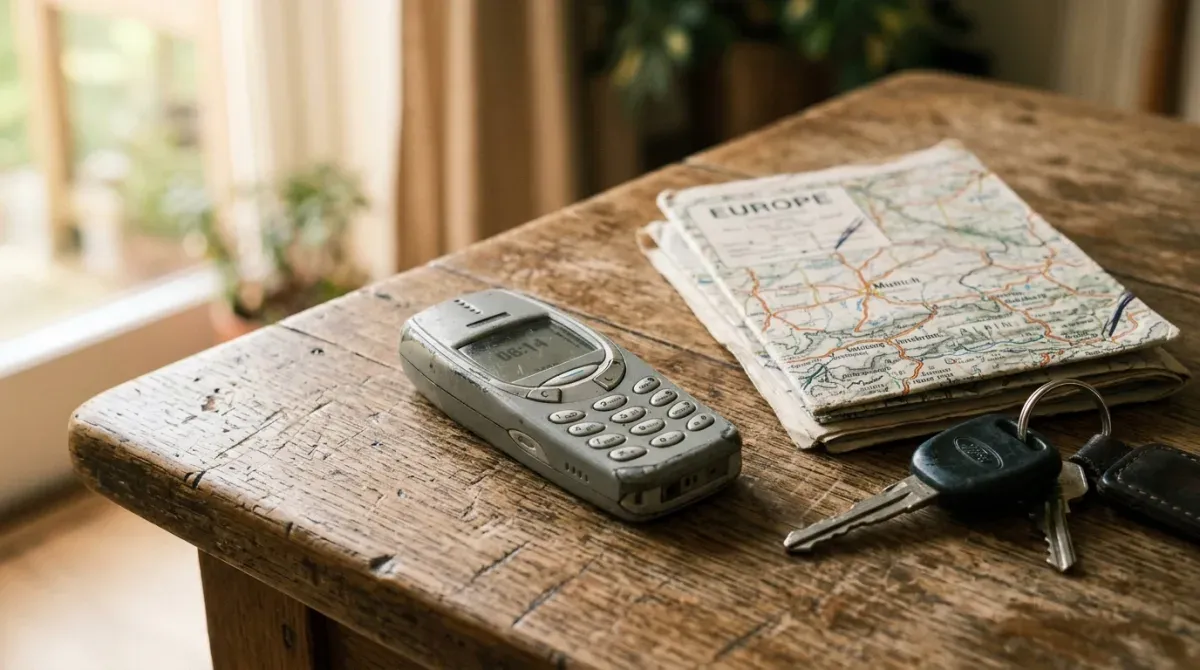
A dedicated car GPS unit navigates better than any dumb phone will, holds its charge for the whole trip, mounts where you can see it, and does not care what phone is in your pocket. A paper map and ten minutes of planning covers a surprising amount of driving. For hiking, a handheld GPS unit is the tool people who navigate for real actually carry.
This sounds like a dodge. It is not. The reason “dumb phone with GPS” is a hard search is that you are asking one device to be minimal and to be a navigation computer, and those pull in opposite directions. Using two devices is often how the switch survives past the first month.
Which to pick
- You mostly walk, in cities, and you want one device. Light Phone III. The offline maps habit is the price and it is payable.
- You drive a lot and need live traffic. A Sunbeam F1 Pro with Waze, or a dedicated car unit plus any dumb phone at all.
- You want Google Maps specifically and mostly walk. A KaiOS flip such as the Nokia 2780 Flip, knowing there is no voice guidance and no guarantee the app stays.
- You drive long distances. Dedicated car unit. Stop trying to make the phone do it.
Navigation is only one of the five things that decide whether leaving your smartphone actually sticks. The other four, network compatibility, voice and SMS reliability, two-factor authentication and banking access, are covered in the complete dumb phone playbook, which is worth reading before you buy anything. If you want music on the same device as your maps, read what actually works for Spotify first: the phones that do both are smartphones underneath.
Sources: the Light Phone Directions tool details come from The Light Phone’s own documentation and Engadget’s review; the F1 Pro configurations from Sunbeam Wireless; the KaiOS voice-directions limitation from KaiOS.