

The dumb phone comeback isn’t a vibe anymore — it’s a logistics problem. 3G is dead, T-Mobile started turning off 2G GSM in February 2025, and WhatsApp walked away from KaiOS. The romantic idea of grabbing a $40 Nokia off Amazon and “going analog” now ends with a handset that literally cannot connect to a U.S. carrier.
But the people actually pulling this off in 2026 aren’t lucky or especially disciplined. They’ve just solved the same five problems in the same order: network compatibility, voice and SMS reliability, two-factor authentication, banking access, and navigation. Miss one and you’re reactivating your iPhone before the month is out. Solve all five and the switch is genuinely permanent.
Below is the exact playbook — which phones still work on which networks, which messaging and auth workarounds hold up, and how to keep banking, maps, and rideshare functional — so you can put the smartphone down without losing a single thing that actually matters.
What ‘Correctly Using a Dumb Phone’ Actually Means in 2026
Using a dumb phone in 2026 is not the same project it was even two years ago. The infrastructure underneath these devices has shifted, and “correctly” using one now means solving for what’s gone before you switch — not after.
Three changes define the current landscape:
- 3G is fully gone. AT&T shut down on February 22, 2022; Verizon followed on December 31, 2022 [6]. Any feature phone without 4G LTE and VoLTE/HD Voice cannot make or receive calls or texts on Verizon’s network, per Verizon’s own documentation [1].
- 2G GSM is going. T-Mobile began phasing out its 2G GSM network on February 9, 2025 [7]. That kills off a long tail of cheap imported handsets that relied on 2G fallback.
- WhatsApp left KaiOS. New activations stopped on June 25, 2024, and full support ended in early 2025 [2]. The single most common app bridge between feature phones and the smartphone world is closed.
The category itself has also fractured. “Dumb phone” in 2026 covers at least three different devices: a basic feature phone (Nokia-style, SMS/MMS only), a minimalist near-smart device like the Light Phone III with vetted Tools [11][12], and HMD’s 2026 feature phones with AI assistants, video calling, and digital wallets [4][11]. Each has a different setup path.
To make any of them your primary device without losing critical daily functions, you need to solve five pillars: network connectivity, voice/SMS reliability, authentication, banking access, and navigation. Skip any one and you’ll be back on a smartphone inside a month.
This guide is the operational playbook for solving all five. It assumes you’ve either picked a device or are about to — it’s not a review roundup.
Step 1 — Pick a Phone That Will Still Work on U.S. Networks
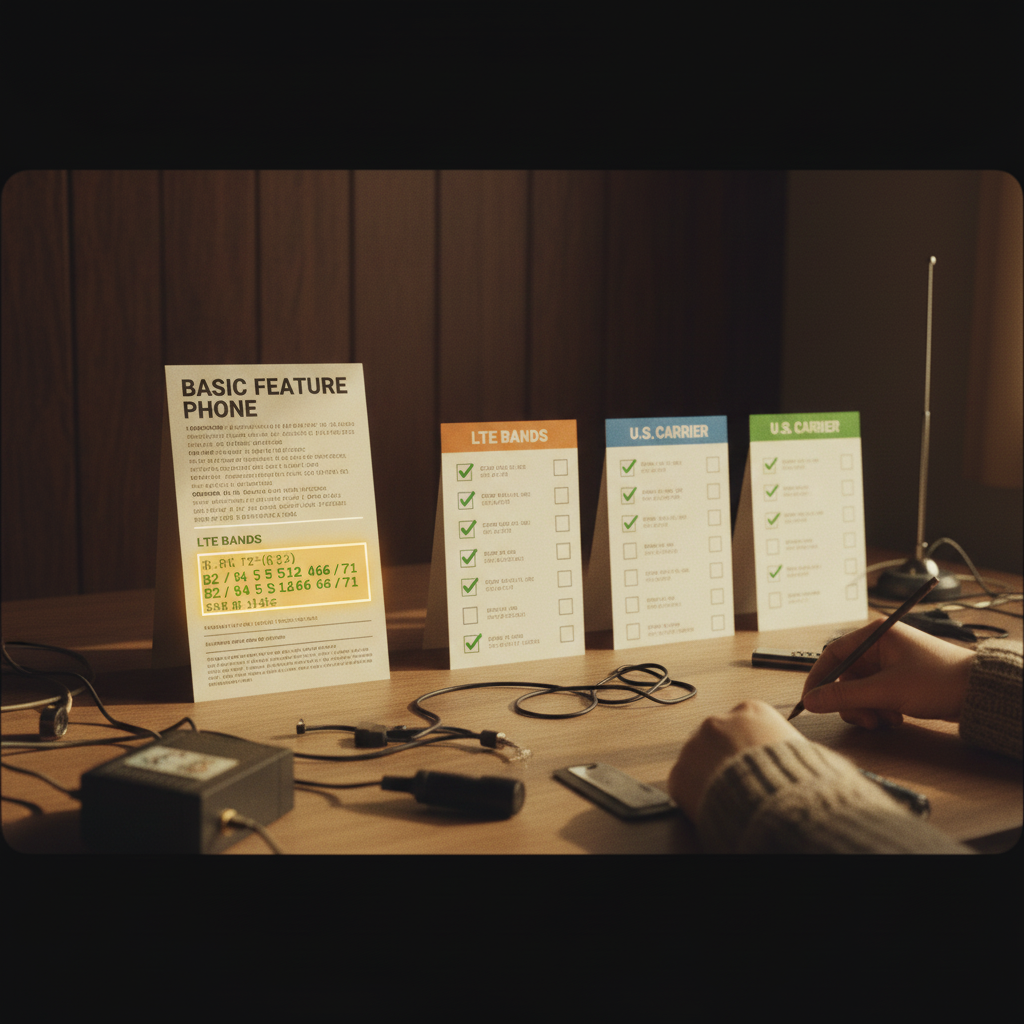
Before you spend a dollar, validate the device against four hard requirements. Skip any of them and you’ll end up with a working radio that no U.S. carrier will let onto its network.
1. VoLTE / HD Voice is non-negotiable. Verizon explicitly states that devices without HD Voice cannot make or receive calls or texts on its network after the CDMA/3G retirement [1]. AT&T maintains a published whitelist of unlocked devices confirmed to work post-3G shutdown — if your model isn’t on it, assume it won’t activate [2]. T-Mobile began retiring its 2G GSM network starting February 9, 2025, so even basic GSM fallback is closing [3].
2. Check the right LTE bands. For nationwide U.S. coverage in 2026, look for Bands 2 and 4 (AT&T, T-Mobile), Band 12 (AT&T low-band), Band 66 (T-Mobile/AT&T AWS-3), and especially Band 71 (T-Mobile 600 MHz, critical for rural and in-building coverage). Many cheap imports and older KaiOS handsets skip Band 71 entirely — fine in a city, useless in the countryside.
3. Run the IMEI through each carrier’s checker. Compatibility is model- and IMEI-specific, and some carriers refuse activation of non-whitelisted IMEIs even when the radio supports VoLTE [2]. Plug the IMEI into AT&T, T-Mobile, and Verizon’s online tools before you pay.
4. Account for T-Mobile’s LTE refarming. T-Mobile is shifting LTE spectrum over to 5G SA over roughly the next two years [4]. An LTE-only feature phone will keep working for now, but its runway is shorter than you’d like.
For buyers who want at least an 18-month safety margin, the Light Phone III ships with 5G and VoLTE [5], and HMD’s 2026 feature-phone lineup was designed around current network requirements [6]. Those are the two lowest-risk hardware paths today.
[1] https://www.verizon.com/support/knowledge-base-214957/ [2] https://www.att.com/ecms/dam/att/consumer/help/pdf/Unlocked-Devices-Working-on-ATT-Network-Post-3G-Shutdown.pdf [3] https://www.androidpolice.com/t-mobile-2g-shutdown-date-feb-2025/ [4] https://www.tomsguide.com/phones/network-carriers/ltes-days-could-be-numbered-at-t-mobile-what-that-means-for-your-wireless-phone-coverage [5] https://techcrunch.com/2025/03/13/minimalist-light-phone-iii-launches-march-27/ [6] https://www.hmd.com/en_int/press/feature-phones-reimagined
Step 2 — Activate, Port Your Number, and Get VoLTE Running
Once you have a verified-compatible device in hand, work through this sequence in order. Skipping ahead is how people end up with a phone that “activates” but can’t actually place calls.
Port your number — don’t cancel first. Pull your old carrier account number, transfer PIN, and billing ZIP before you start. Initiate the port from the new carrier; the old line auto-cancels when the port completes (usually 15 minutes to 24 hours). If you cancel first, you lose the number permanently.
APN settings. Most carriers auto-provision over the air, but feature phones sometimes need manual entry. AT&T: broadband. T-Mobile: fast.t-mobile.com (with IPv4/IPv6). Verizon: vzwinternet. Enter these under Settings → Mobile Network → Access Point Names.
Confirm VoLTE is actually on. Look for an “HD” or “VoLTE” indicator near the signal bars. If absent, call \*611 and ask the rep to verify VoLTE provisioning on your IMEI — Verizon will not place or receive calls on non-VoLTE devices after its CDMA shutdown [1]. The fastest practical test: call a landline and listen for the wideband audio difference.
Move your contacts. Export a vCard (.vcf) from Google Contacts (contacts.google.com → Export) or iCloud (icloud.com → Contacts → Export vCard), copy it to a microSD card, then import via Contacts → Import. SIM import works but caps at 250 entries and drops emails and second numbers.
SMS/MMS defaults. Set messages over 160 characters to auto-convert to MMS — otherwise long texts split into numbered fragments that arrive out of order. RCS is not available on KaiOS or most feature phones [2], so don’t expect typing indicators or read receipts.
Voicemail. Dial 1 and follow setup. Visual voicemail is rare on 2026 feature phones; budget for dialing in.
Step 3 — Replace the Smartphone Functions You Actually Use
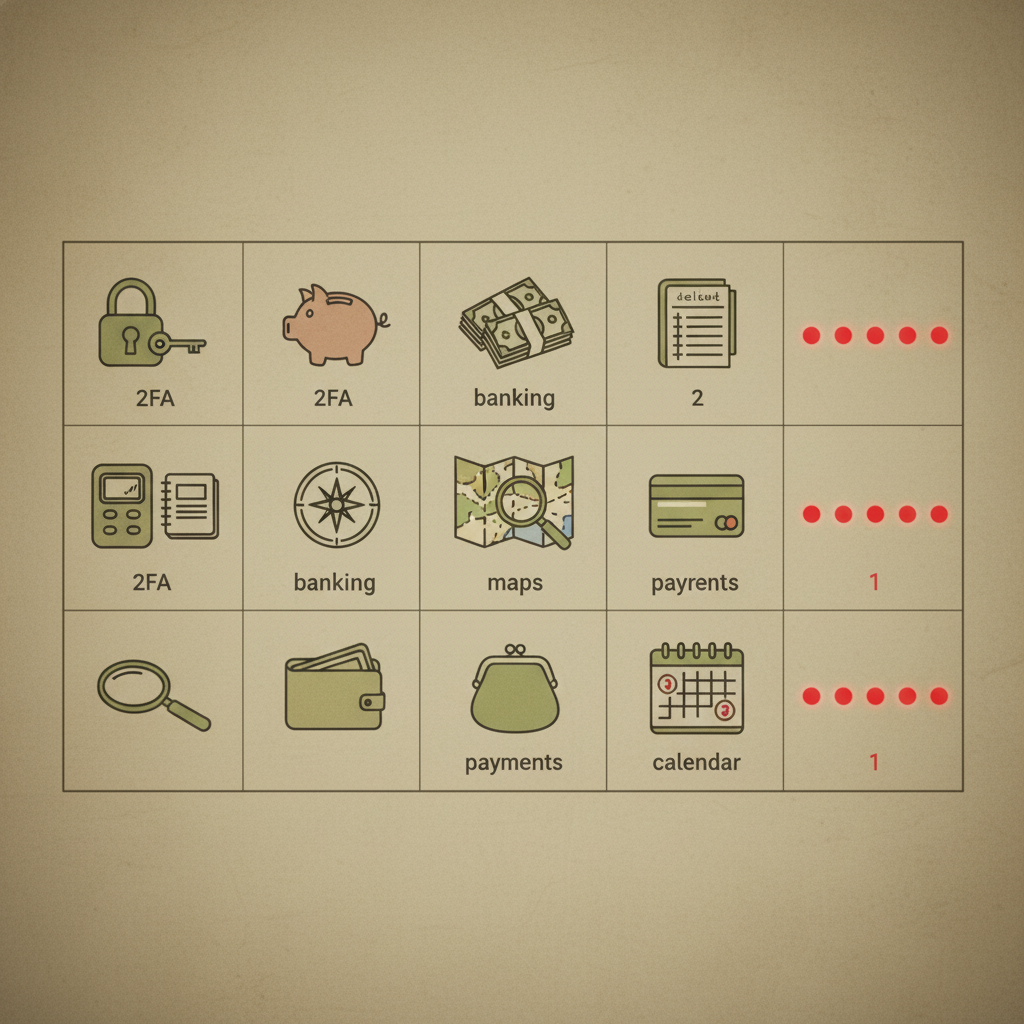
Once your phone is on the network, the real work starts: rebuilding the five smartphone functions you actually depend on.
Two-factor authentication. Move high-priority accounts (bank, email, work SSO) off authenticator apps. You have two solid paths: SMS-based OTP, which every feature phone handles natively, or a hardware key like the YubiKey 5 NFC for accounts that support FIDO2. SMS OTP is less secure than TOTP — SIM-swap risk is real — so pair it with a strong carrier PIN and use a hardware key wherever the service allows.
Mobile banking. Most major U.S. banks (Chase, Bank of America, Wells Fargo, Capital One, Ally, Schwab) still serve full-function responsive web portals that render on KaiOS and LightOS browsers. Direct deposit, transfers, bill pay, and statements all work; mobile check deposit usually does not. Test login on your specific device before closing the smartphone app — some banks gate web sessions behind a push notification you can’t receive.
Payments. Tap-to-pay is gone without NFC and a wallet app. The fix is mundane: carry a contactless debit or credit card — it works at every terminal that accepted Apple Pay. The Light Phone III is the lone exception in the feature-phone space, with a vetted payments Tool rolling out via its developer kit [1].
Navigation. Without Google Maps, your options are a standalone GPS unit (Garmin Drive series), desktop route prep printed or written down, or — honestly — asking. The Light Phone III’s native maps Tool is currently the only feature-phone navigation that works offline with turn-by-turn [1].
Calendar and reminders. Set Google Calendar or Outlook on your desktop to send SMS notifications for events. Configuration takes about 10 minutes and gives you reliable alerts without sync software on the phone itself.
Messaging After WhatsApp Dropped KaiOS — Your Real Options
WhatsApp’s KaiOS shutdown in early 2025 wasn’t a minor inconvenience — it removed the single biggest messaging bridge between feature phones and the rest of the world [1]. Here’s what actually works in 2026.
SMS/MMS is the default, and that’s fine. Every 4G feature phone with VoLTE handles it natively, and KaiOS still doesn’t support RCS despite the GSMA’s Universal Profile v3.1 rolling out in mid-2025 [2]. Send a short message to your top 20 contacts explaining you’re on SMS now. Most people adjust within a week.
Signal-heavy circles: Signal dropped native SMS integration on Android in 2022, so there’s no clean feature-phone client. Workable options: keep Signal Desktop running on your laptop for asynchronous conversations, or — if you own a Light Phone III — use the vetted Signal Tool that shipped via Light’s official LightOS developer kit in April 2026 [3].
Telegram: The web client (web.telegram.org) loads on most HTML5-capable feature phone browsers. Voice messages and video calls won’t work, but text, basic image viewing, and group chat read access do. Log in via QR code scanned from your desktop session, since SMS code delivery to a feature phone can loop.
HMD’s 2026 lineup ships a stripped-down messaging client alongside the digital wallet and AI assistant features announced at MWC 2026 [4]. It’s not WhatsApp, but it handles encrypted 1:1 chat.
Honest friction report: Group chats fragment, MMS compresses images aggressively, and read receipts disappear. For work, set up a desktop Zapier or IFTTT recipe that forwards Slack mentions or Teams DMs to your number as SMS — takes about 15 minutes and prevents you from missing anything urgent.
[1] https://announce.data.kaiostech.com/ [2] https://kaios.dev/faq/ [3] https://www.wired.com/story/exclusive-light-phone-developer-kit/ [4] https://www.hmd.com/en_int/press/feature-phones-reimagined
Step 4 — Future-Proof Your Setup Against Network Changes
The mistake most people make is treating activation as a one-time event. Carriers are still refarming spectrum, and a phone that works today can quietly stop working in 18 months. Here’s the maintenance loop that keeps your setup alive.
Every 6 months, re-check your IMEI. Drop a recurring calendar event now. Run your IMEI through AT&T’s, T-Mobile’s, or Verizon’s compatibility checker — status can change as carriers narrow whitelists. T-Mobile is actively refarming LTE spectrum to 5G SA over the next two years, which is the most likely trigger for a feature phone losing service [1].
Subscribe to carrier sunset announcements. AT&T publishes an unlocked-devices list for post-3G compatibility [2], and Verizon documents HD Voice requirements directly [3]. Bookmark these pages and turn on email alerts where offered — that’s how the 2025 T-Mobile 2G phase-out reached most affected customers [4].
Keep a backup SIM on a different core network. Carry an active Mint (T-Mobile core) or US Mobile (offers both T-Mobile and Verizon cores) SIM in a drawer. If your primary carrier suddenly refuses to authenticate VoLTE on your IMEI, you can swap in 10 minutes instead of going dark for a week. Confirm your phone is unlocked first.
Watch the platforms that get patched. Light Phone III’s developer kit launched April 30, 2026, and HMD committed to ongoing 2026 firmware rollouts including AI and wallet features [5][6] — both signal long-term carrier-cert maintenance. Older KaiOS handsets don’t get this.
When VoLTE breaks, escalate in order: carrier chat → retention department → written complaint → FCC informal complaint at fcc.gov/consumers. Cite the carrier’s own published compatibility list.
Plan for 2028. Analyst consensus puts serious LTE deprecation pressure starting then [1]. Budget for a device refresh on that horizon.
[1] https://www.tomsguide.com/phones/network-carriers/ltes-days-could-be-numbered-at-t-mobile-what-that-means-for-your-wireless-phone-coverage [2] https://www.att.com/ecms/dam/att/consumer/help/pdf/Unlocked-Devices-Working-on-ATT-Network-Post-3G-Shutdown.pdf [3] https://www.verizon.com/support/knowledge-base-218813/ [4] https://www.androidpolice.com/t-mobile-2g-shutdown-date-feb-2025/ [5] https://www.wired.com/story/exclusive-light-phone-developer-kit/ [6] https://www.hmd.com/en_int/press/feature-phones-reimagined
Dumb Phone vs Dumbed-Down Smartphone: Which Actually Works Better in 2026
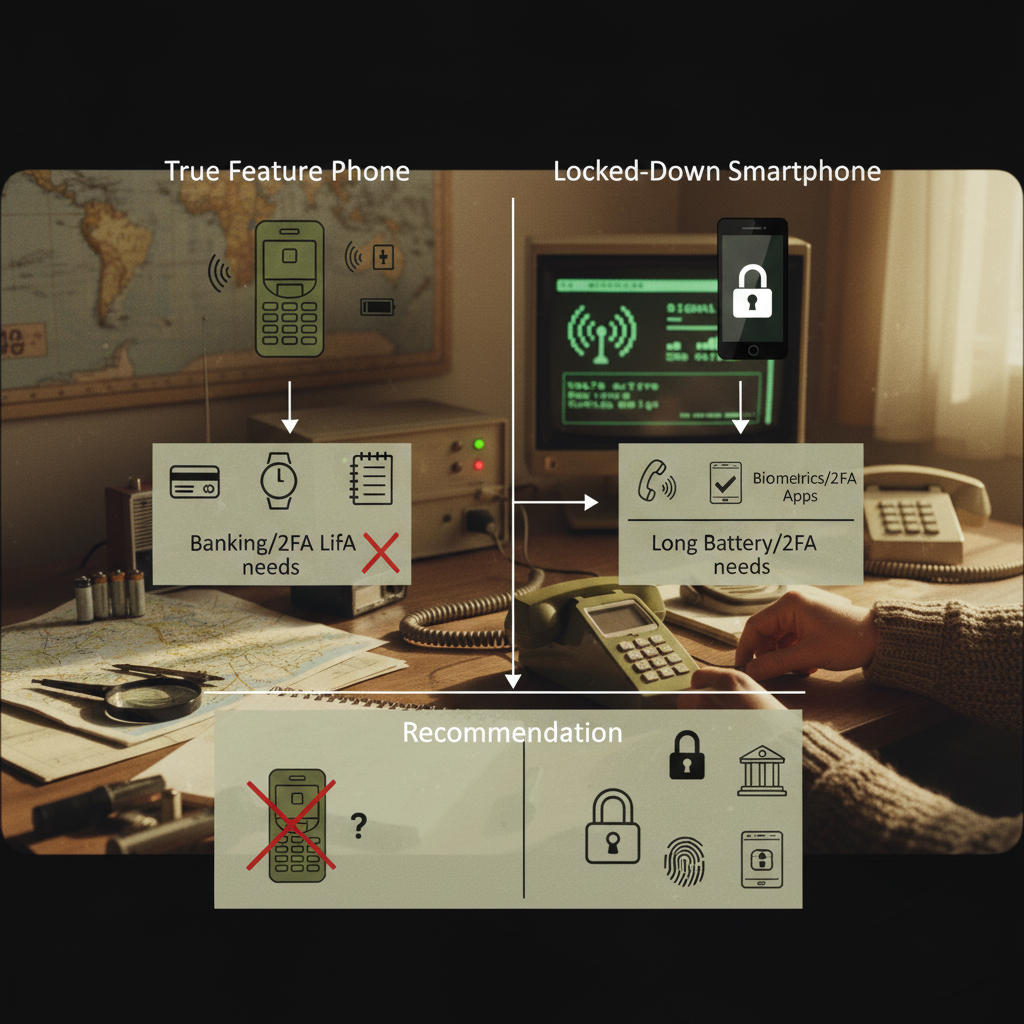
Before you commit to a feature phone, consider that a smartphone stripped down with grayscale mode, a minimal launcher (like Olauncher or Niagara), and aggressive app blockers gives you the same calm screen — while keeping every app you occasionally need. The catch: it relies on willpower. A factory-reset Pixel running grayscale is still one tap away from Instagram. A Nokia 2780 is not.
That’s the real tradeoff. A dumbed-down Android removes every friction point covered earlier in this guide — 2FA apps work, banking apps work, WhatsApp works, Google Maps works. A true feature phone removes the option, which is the point for many switchers. Lower battery drain, longer standby, and lower reachability on social platforms aren’t side effects; they’re the feature.
The Light Phone III sits in the middle. At $799 [3], you get 5G with VoLTE, a vetted Tools ecosystem (no app store), and a developer kit that lets approved third-party Tools like Signal and transit ship without reintroducing the dopamine loop [12]. It’s the most expensive option but the only one designed from scratch for this use case. HMD’s 2026 feature-phone lineup blurs the line further — digital wallets, video calling, and an AI assistant on hardware that still looks like a Nokia [4]. Useful, but it erodes the minimalism goal you probably came here for.
A simple decision framework:
- Need an authenticator app or a banking app with no web fallback? Dumbed-down smartphone. You’ll lose the architectural constraint but keep critical access.
- Want the constraint and can live with SMS-based 2FA and bank websites? Feature phone.
- Have $799 and want both? Light Phone III.
Pick the constraint that matches your honest self-discipline, not your aspirational one. If you’re still weighing whether the switch is right for you at all, rediscovering simplicity and what a dumb phone actually offers is worth reading before you buy anything.
Real-World Battery Life and Durability: What to Actually Expect
The “week of standby” claims you remember from a 2010 Nokia don’t apply anymore. A 4G LTE radio with VoLTE always-on draws meaningfully more power than the 2G modems those numbers came from. Plan for reality:
- Basic feature phones (HMD, TCL, etc.): 3–5 days standby with moderate calling and texting. Active call time on VoLTE runs roughly 4–6 hours before you’ll need a charger.
- Light Phone III: about 3 days of typical use, per Light’s own guidance and Consumer Reports’ April 2026 review [1][2].
- HMD’s 2026 AI-assisted feature phones: closer to 1.5–2 days once video calling, the digital wallet, and the assistant are active [3]. The more “reimagined” the feature phone, the more it behaves like a small smartphone for battery purposes.
VoLTE is the main culprit. HD Voice keeps an LTE data session open for the duration of every call, which is why active talk time is shorter than legacy 2G/3G handsets managed. In weak-signal areas, the modem cranks transmit power to hold the connection — expect the phone to warm up and the battery to drain faster. That’s normal behavior, not a defect. Move to a window or step outside before assuming the hardware is broken.
Durability splits along predictable lines. Nokia-branded HMD devices keep the polycarbonate-shell reputation and survive routine drops without ceremony. The Light Phone III’s glass back looks great and cracks like glass — use a case if you’re rough on devices [4].
Charging is straightforward: USB-C on most 2026 models, micro-USB on older KaiOS holdouts, and a full charge in under 90 minutes. Modern trickle-charge circuits make overnight charging safe. Don’t overthink it — just don’t leave the phone on a hot dashboard, which accelerates battery wear regardless of device class.
[1] https://www.consumerreports.org/electronics-computers/cell-phones/light-phone-3-review-a1105801271/ [2] https://support.thelightphone.com/hc/en-us/articles/360030789592-Using-Light-Phone-as-Secondary-Phone [3] https://www.hmd.com/en_int/press/feature-phones-reimagined [4] https://www.androidcentral.com/phones/the-light-phone-3-is-here-with-miniature-features-massive-usd799-price-tag
Bringing It All Together
A dumb phone in 2026 only fails when you treat it as a single purchase instead of a system. The five pillars — network, voice, authentication, banking, and messaging — each have a clear solution path, but they have to be solved before the smartphone leaves your pocket, not after. Pick a device with VoLTE and the right LTE bands (especially Band 71), port your number cleanly, get a hardware key or backup codes in place for 2FA, confirm your bank works without its app, and accept that RCS, typing indicators, and group-chat reactions are gone. That last part is the honest tradeoff: you will miss things, you will be the friend who breaks the green-bubble thread, and rural coverage will get tighter as T-Mobile refarms LTE to 5G SA over the next two years. Anyone selling you a frictionless switch is selling you a future return to a smartphone.
But the friction is finite, and it’s front-loaded. People who solve the five pillars on paper before they buy hardware tend to stay on dumb phones; people who buy first and improvise rarely make it past week three. The deciding factor is almost always whether the device can actually hold a call on your carrier — which is something you can check right now, for free, in about ten minutes. If you want to understand what a digital detox with a dumb phone looks like in practice before you commit, that’s a useful frame for setting your expectations.
So before you order anything, do this one thing today: pull the IMEI of the phone you’re considering, run it through AT&T’s, T-Mobile’s, and Verizon’s compatibility checkers, and confirm VoLTE/HD Voice support in writing. If it passes all three, the r
Frequently asked questions
Can I use a dumb phone with T-Mobile in 2026?
Yes, but the device must support VoLTE on T-Mobile’s LTE bands (2, 4, 12, 66, and 71) and pass T-Mobile’s IMEI compatibility check. With 2G GSM fully retired, any non-VoLTE feature phone will not connect to the network at all, so verify VoLTE certification before purchasing.
What do I use for two-factor authentication without a smartphone authenticator app?
SMS OTP works on any feature phone and covers most consumer services. For higher-security accounts like email and password managers, use a hardware key such as the YubiKey 5 NFC. Be aware that some banking and crypto apps require an app-based TOTP and have no feature-phone workaround.
Is WhatsApp completely gone on feature phones in 2026?
Yes. WhatsApp ended KaiOS support in early 2025 and has no remaining feature-phone client. You’ll need to migrate contacts to SMS or use platform-specific alternatives like the Light Phone III’s built-in messaging Tool.
How long will 4G LTE support last for feature phones?
No U.S. carrier has announced an LTE sunset date as of mid-2026, but T-Mobile’s ongoing spectrum refarming suggests meaningful pressure around 2027-2028. If you’re buying a feature phone today, plan for a 2-3 year usable lifespan and recheck IMEI compatibility with your carrier every six months.
Can I do mobile banking on a feature phone?
Yes, for most tasks. Major U.S. banks maintain full-function mobile websites that work in feature phone browsers for balance checks, transfers, and bill pay. Dedicated apps are only required for niche functions like mobile check deposit or in-app TOTP authentication.
Is the Light Phone III worth the premium over a basic Nokia feature phone in 2026?
It depends on your needs. If you want 5G longevity, offline maps, and a vetted payments Tool without a full app store, the Light Phone III justifies its price. If you only need calls, SMS, and maximum battery life and don’t mind being on LTE, a Nokia/HMD device at a fraction of the cost is the practical choice. For a deeper look at how flip phones and minimalist hardware fit into this decision, that context is worth having before you finalize your choice.